

Translate my application#
SEPAL tries to be as inclusive as possible. To do so the platform is translated in these languages:
English |
Français |
Español |
pysepal gives you a message catalogue so your own application can do the same.
A catalogue is a folder of JSON files, one subfolder per language. You read a
message from it with msg(), and the text follows the language the user
picked. Nothing in your code passes a language around.
Note
Translator still exists for modules written against pysepal 3. It
resolves its language when it is constructed, and modules construct it at
import, so its text cannot follow a language change. New code
should use catalog() and msg() described here. See
docs/guides/migration-v4.md to move an existing app.
Bind the catalogue#
Bind it once, when your message module is imported. English is read and checked at that moment, so a mistake in your own file stops the app at startup rather than on a user’s screen.
# component/message/__init__.py

from pathlib import Path

from pysepal.i18n import catalog

messages = catalog(Path(__file__).parent)
msg = messages.msg
Then import msg anywhere in your module:
# component/tile/my_tile.py

from component.message import msg
Write the English messages#
English defines message keys and named arguments. Every message your application can ask for must exist there. Other languages supply translations and their own plural forms.
{
    "app": {
        "title": "My first module",
        "drawer_item": {
            "aoi": "AOI selection",
            "about": "About"
        }
    },
    "error": {
        "no_aoi": "No AOI has been set, please provide one in step 1"
    }
}
Danger
JSON accepts only “ (double quotes).
Read a message with the key path, joined by dots:
msg("error.no_aoi")
msg("app.drawer_item.aoi")
A key you did not define raises MissingMessageError. That is deliberate:
a missing message is a bug in your app, and it is easier to fix when it names
itself. While you are still filling the catalogue you can ask for a marker
instead:
messages = catalog(Path(__file__).parent, strict=False)

messages.msg("error.not_written_yet")   # '⟦error.not_written_yet⟧', and one warning
Put a value in a message#
Give every placeholder a name and pass it by that name:
{
    "error": {
        "occurred": "The following error occurred: {detail}"
    }
}
try:
    ...
except Exception as e:
    print(msg("error.occurred", detail=e))
Important
A positional placeholder – {} or {0} – is refused when the
catalogue binds. Names give translators the meaning of each value while
allowing word order to differ between languages.
Rename "{}" to something like "{detail}" and update the call
at the same time.
Only simple named placeholders such as {detail} are supported. Format
numbers and dates before passing them to msg(). Attribute/index access
({user.name}, {items[0]}), conversions ({name!r}), and
format specifications ({value:.2f}) are rejected. This keeps a translation
from changing the type of value the application must provide. Write literal
braces as {{ and }}.
One or many#
When a message counts something, write it as a node with one and
other instead of “layer(s)”:
{
    "toasts": {
        "cleared": {
            "one": "{count} layer removed",
            "other": "{count} layers removed"
        }
    }
}
msg("toasts.cleared", count=1)   # '1 layer removed'
msg("toasts.cleared", count=3)   # '3 layers removed'
Each language writes the cardinal categories it needs. Babel supplies the CLDR
rules for the matched catalogue locale. French uses one for zero as
well as one; Russian uses one, few, many and
other; Arabic also uses zero and two. Chinese needs
only other.
For example, the French translation is:
{
    "toasts": {
        "cleared": {
            "one": "{count} couche supprimée",
            "many": "{count} couches supprimées",
            "other": "{count} couches supprimées"
        }
    }
}
Use {count} in the singular form too: a category name does not imply
one specific number. With French active, msg("toasts.cleared", count=0)
returns “0 couche supprimée”. The many form covers million-scale counts.
If the selected form is missing or invalid, the message falls back to English,
using English’s rules for the same count. Missing French one at zero
therefore gives “0 layers removed”. check() reports missing categories
according to each locale’s rules, rather than demanding the English categories.
Note
count only selects a form when the English key names a plural node.
On any other key it is an ordinary named placeholder that fills in a number.
count must be a finite number. The remaining named arguments must
agree across English forms and their translations. Any plural form may
include or omit {count} in its text, but the call always supplies it.
Objects containing a plural-category key are plural nodes. Keep other message keys outside those objects.
Translate into the other languages#
Automatic#
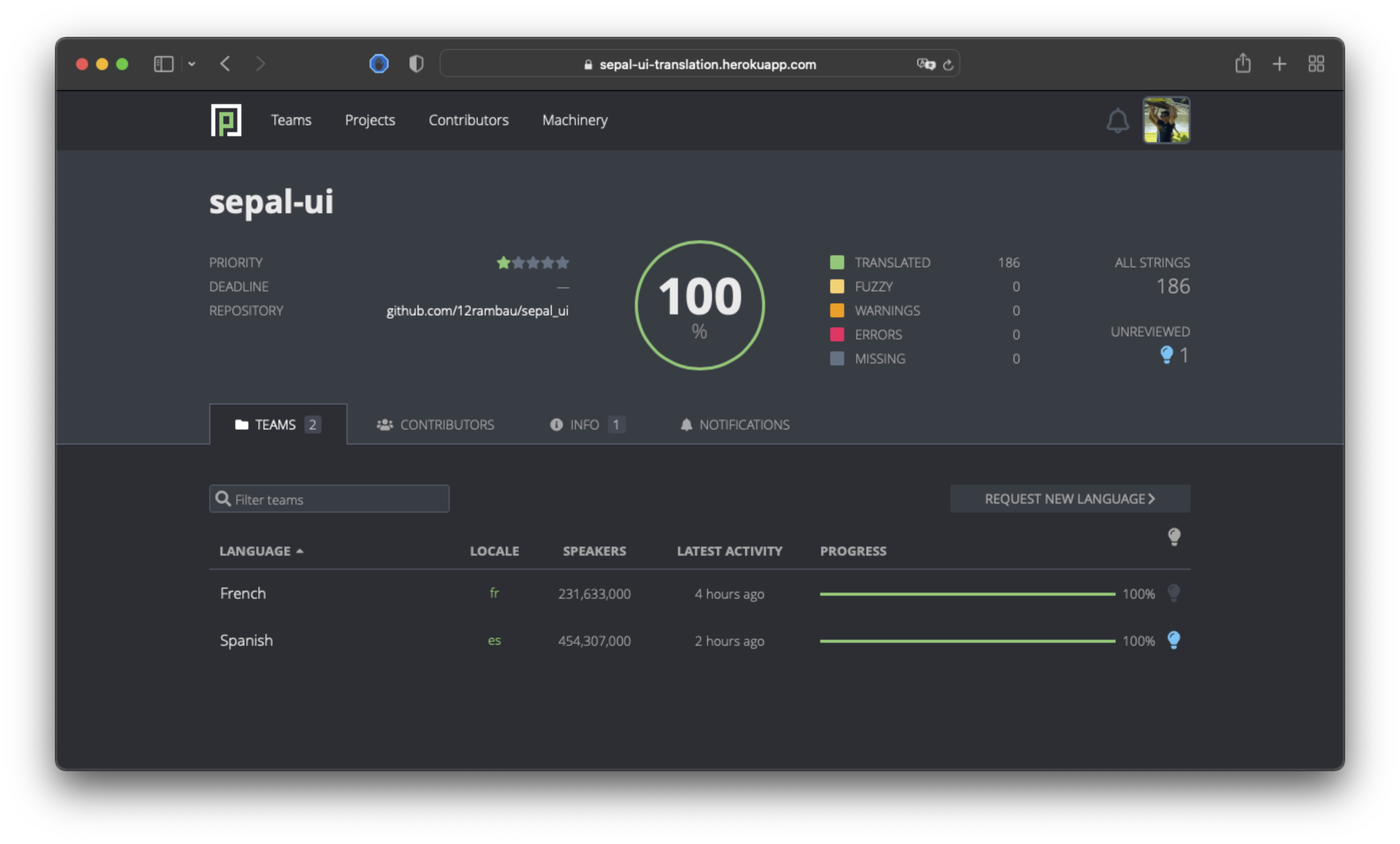
If your application is part of the OpenForis initiative and hosted on SEPAL, you can request to add your project to the Pontoon application list. Pontoon is an open-source translation solution that will deal with the trouble of creating the files and keeping the keys updated. To learn more, please see their documentation. From the developer’s side you’ll need to add the folder corresponding to the language you want to support and open a request for a new project in our issue tracker.
Note
The pysepal keys for built-in components are managed on this application.
Important
Pontoon does not support a JSON list and only provides support for named keys. Replace a list with a numbered object:
{
    "paragraph": {
        "0": "I'm a multiline",
        "1": "paragraph."
    }
}
The numbers become part of the key path:
msg("paragraph.0")
msg("paragraph.1")
Manual#
If this is your first translation, copy en/locale.json to the target
folder and replace each message with its translation.
If it is not the first, do not copy over what is already translated. Use
check() below to find what is missing.
Note
Pontoon exports a string nobody has translated yet as "". An empty
translation is treated as absent, so English shows through rather than a blank
label.
Check the catalogue#
check() compares every language against English and returns what it finds.
It never raises, so you can call it in a test:
from component.message import messages

def test_the_catalogue_is_clean():
    problems = messages.check()
    assert problems == (), [(p.code, p.locale, p.key) for p in problems]
Each record carries code, locale, key and detail:
code |
meaning |
|---|---|
|
English defines it and this language does not |
|
this language defines a key English does not; it is ignored |
|
the translation asks for different values than English |
|
the translation uses unsupported placeholder syntax or broken braces |
|
one side is a plural node and the other is a plain string |
|
a plural form this locale’s cardinal rules cannot select |
|
the folder could not be read at all |
A translator’s mistake never breaks a render. When a translation cannot be used,
English stays active for that key and check() reports it.
Change the language#
The locale is one Solara reactive. Solara keeps a separate value for each browser connection, so two users never share it. Read it and set it with:
from pysepal.i18n import current_locale, set_locale

current_locale()   # 'en' until something sets one
set_locale("fr")   # any IETF BCP 47 code, in any casing
A component that calls msg() re-renders on its own when the language
changes. You do not need to rebuild anything or reload the page.
Event handlers in the same Solara context read that connection’s locale too.
So does a thread created inside that context, including the thread that
use_task(prefer_threaded=True) starts. A pool thread never has the
context: asyncio.to_thread and executor workers read the process
default, which may be a different language. Let such workers return results or
a message key and named arguments, then call msg() in the owning UI
context after receiving them.
An application is a Solara component, and MapApp.element(...) is its
shell. The shell mounts the language selector for you and the selector writes
the user’s choice here. Offer it the languages your catalogue ships:
MapApp.element(
    app_title=msg("app.title"),
    locales=messages.available_locales(),
)
For a layout without MapApp, mount
pysepal.solara.components.locale_select.LocaleSelectComponent(locales=...)
inside your component. It writes the same locale.
Important
Do not build the shell with the plain MapApp(...) constructor. That
is the widget MapApp.element creates for you. On its own it has no
render loop, so nothing in it follows the language and no selector is
mounted. The same holds for every widget in pysepal.sepalwidgets:
they are the parts a Solara component renders, not a way to assemble an
application.
Note
set_locale() cannot choose the language your app starts in. A mounted
selector resolves the browser’s language on its first mount and writes that
back, overwriting anything set before it. Call set_locale() from a user
action instead.
Warning
An ipywidget keeps the text it was given when it was built. Widgets from
pysepal.sepalwidgets therefore show the language that was active at
that moment. Solara components re-render and follow the language live.
The legacy map/panel notebook scaffolds also bind catalogues, but their imperative widget layouts do not provide live language switching. Use a Solara layout for new applications.